



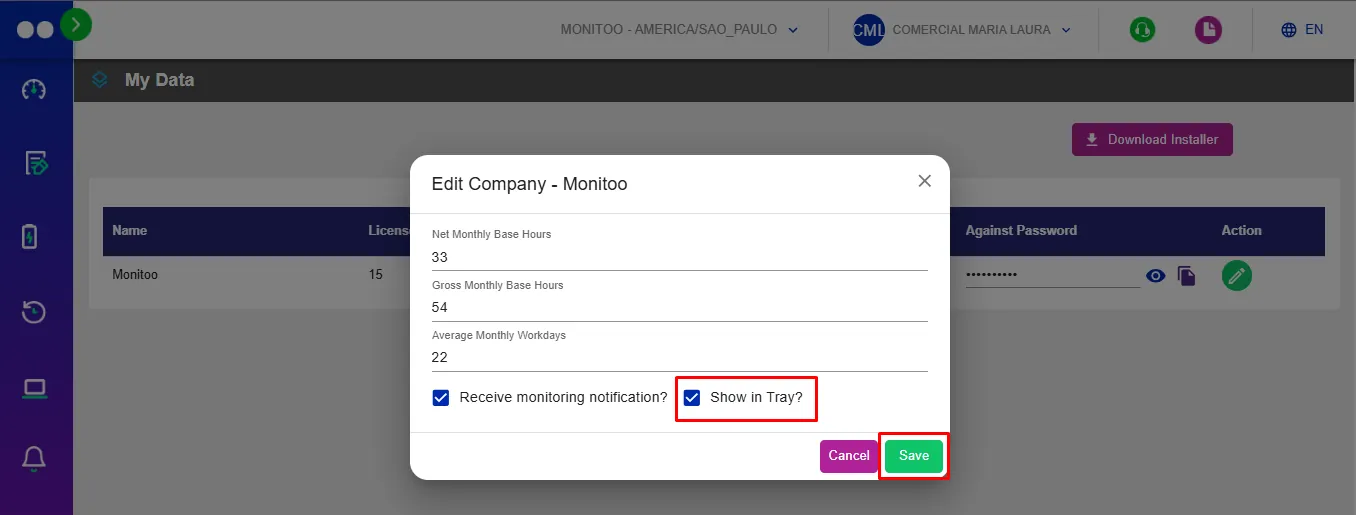
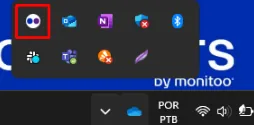
Attention is required regarding the Show in Tray feature. When enabled, Monitoo will display an active icon in the computer’s system tray, making it clear that the machine is being monitored — which may not be ideal for some organizations. Decide before installation whether you want the software icon to be visible or not.
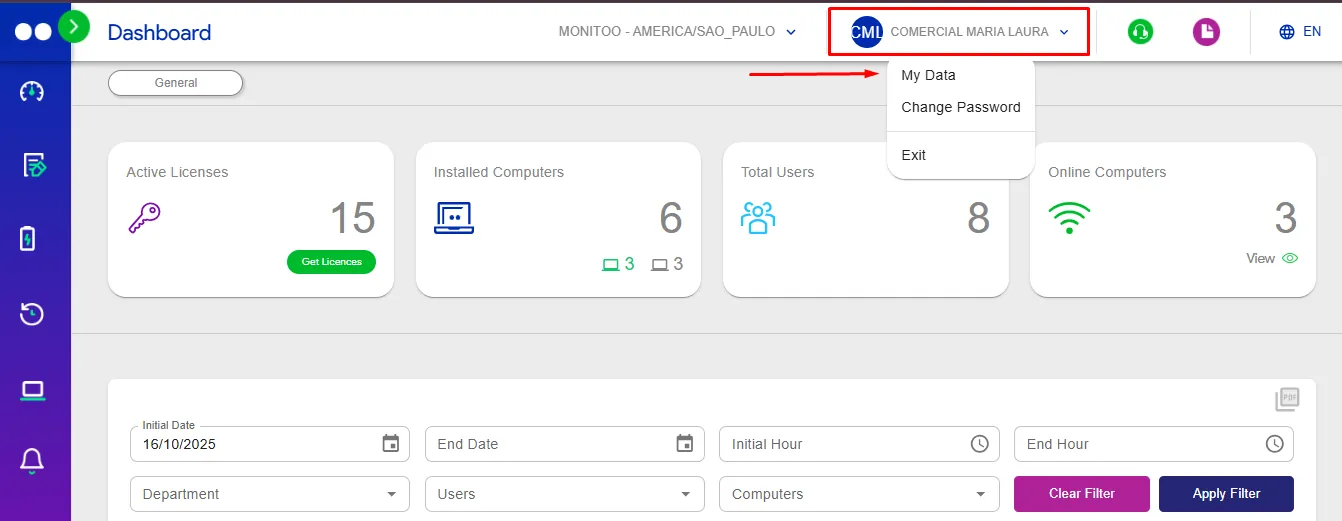
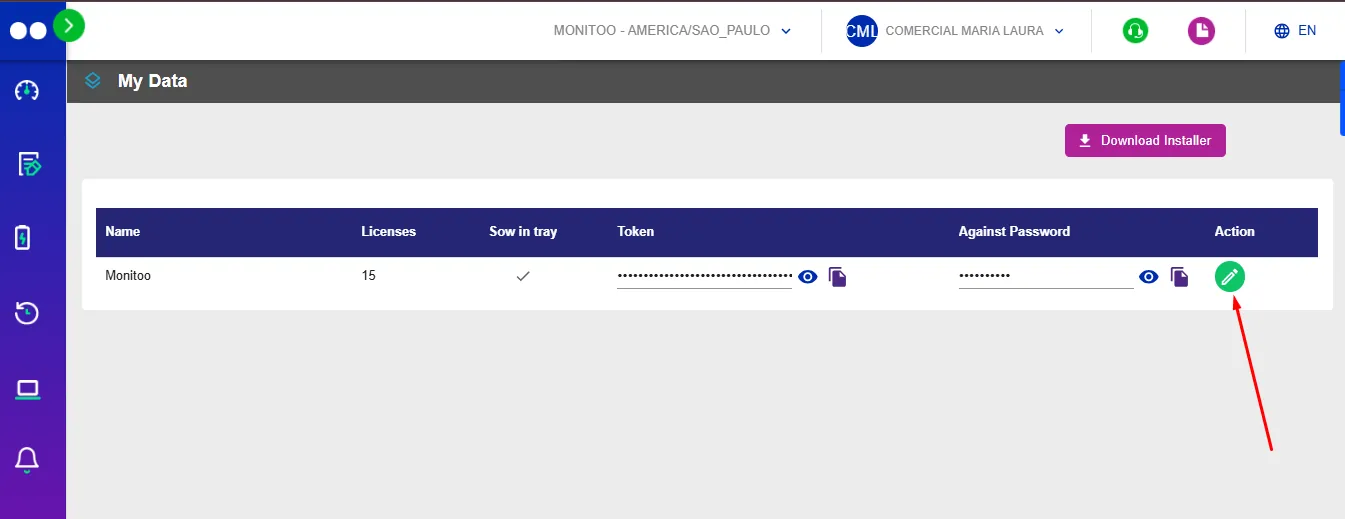
To change the default setting, go to the My Data page on the web platform and click the edit icon in the company’s Actions column.
Was this article helpful?
Great! Thanks for your feedback.
Tell our team what was missing: contact support on WhatsApp.
