



The Employee Devices feature displays detailed information about the users linked to the machines where Monitoo is installed.
Employee identification is done automatically based on the Windows user registered during the system installation. However, it is also possible to assign custom nicknames to make identification easier within the platform.
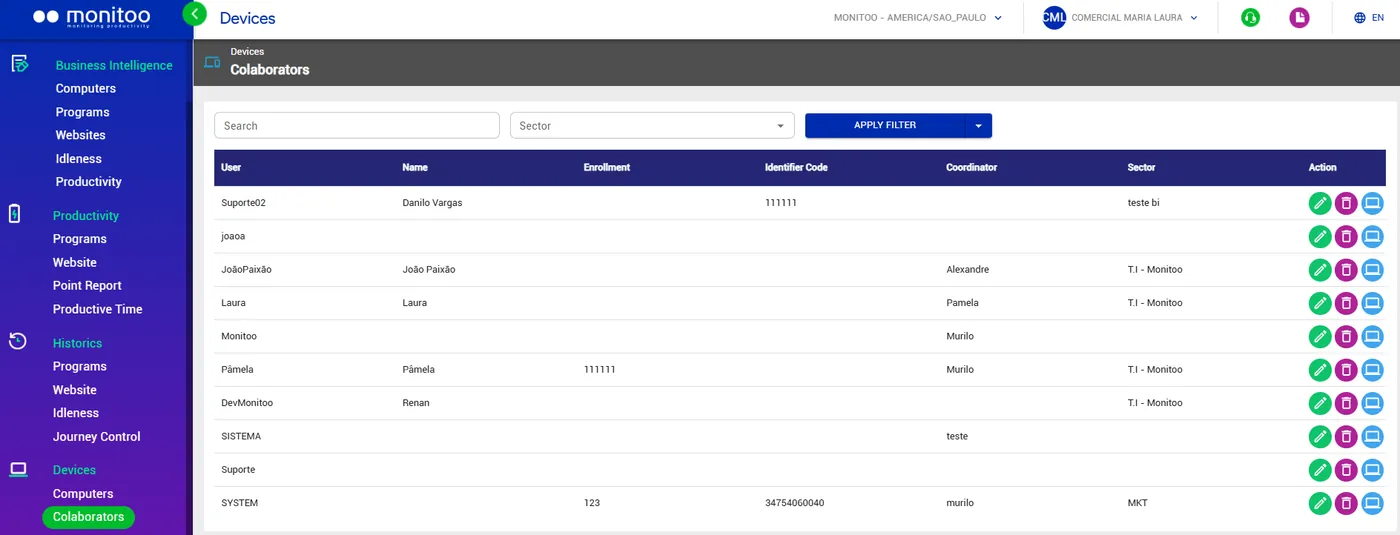
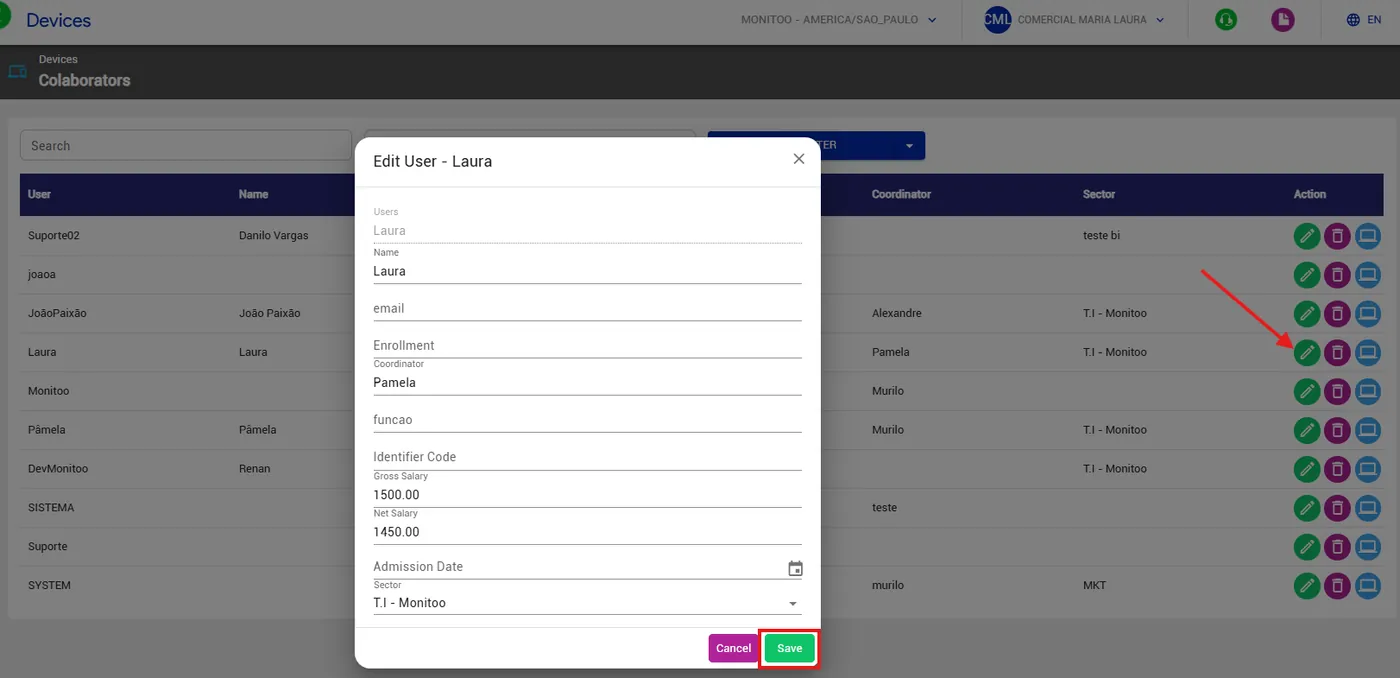
In addition, the panel allows you to add and edit complementary data, such as employee ID number, salary, or other relevant information. These actions can be performed directly in the “Actions” column, where you can also delete records when necessary.
As shown in the example below:
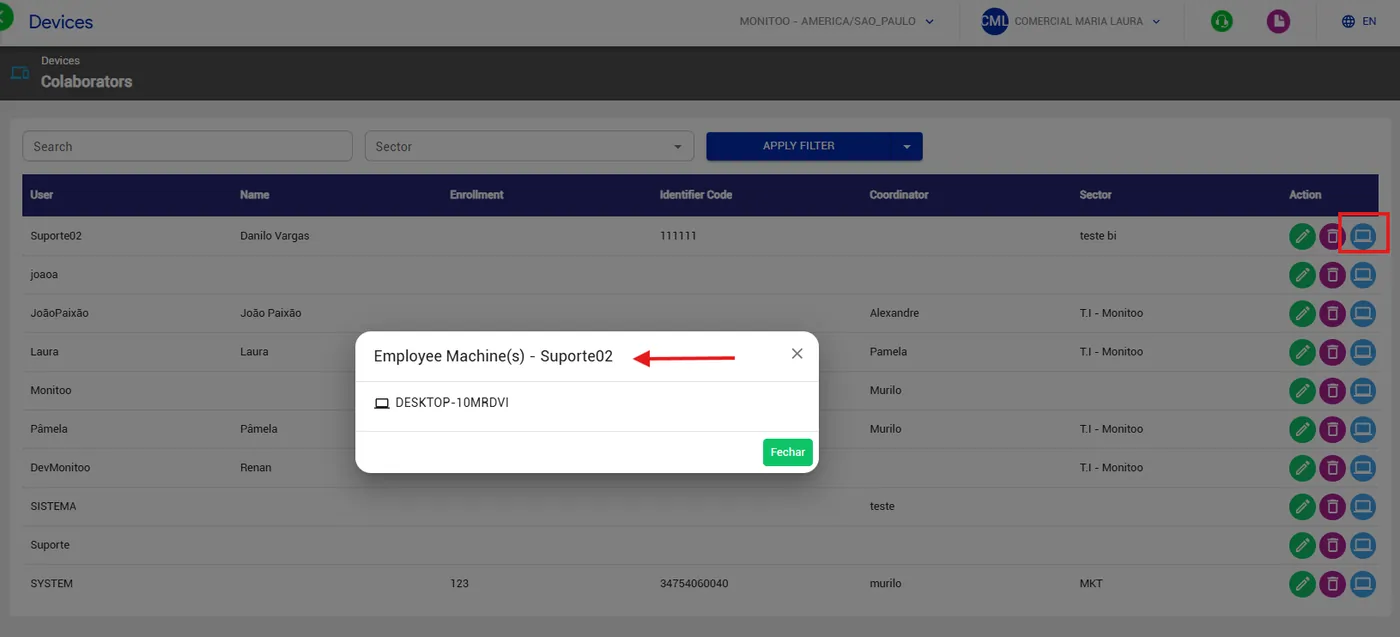
Another important feature is the ability to check which employee accessed a specific machine, providing greater transparency and control over the use of corporate devices.
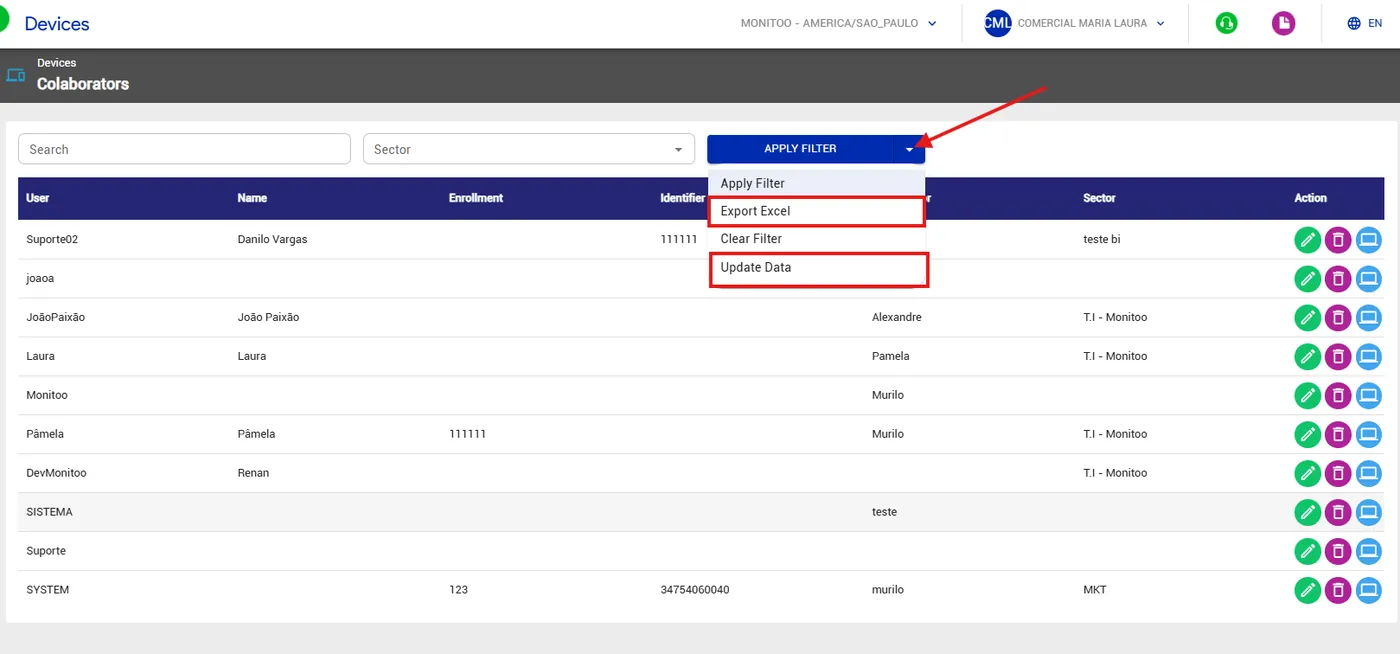
For greater convenience, the system allows exporting reports to Excel, making external analyses and integrations with other management systems easier. It is also possible to update data in bulk through an Excel spreadsheet, optimizing the information maintenance process.
💡 Tip: Use this panel to keep employee records always up to date and ensure the correct link between users and monitored devices.
Great! Thanks for your feedback.
Tell our team what was missing: contact support on WhatsApp.
